BR Tasks
A personal task system with an Inbox, priorities, daily triage and a task draw, which AI agents can use through MCP. I plan my day in it with agents and change the app when the way I work changes.
- Client

- Year
- 2026
- Time
- used and developed daily
- Area
- AI rollouts
- Tech stack
A task system of my own
With off-the-shelf apps, I kept fitting my habits to someone else’s design. I wanted to decide how I capture tasks, what priority means and how an agent helps. Today’s cost of building software makes that experiment worthwhile for me.
My role
I design the product and use it every day. I set the rules, connect other tools and make changes with coding agents. Daily use quickly reveals which ideas help and which make the task list harder to use.
Agents have their own way in
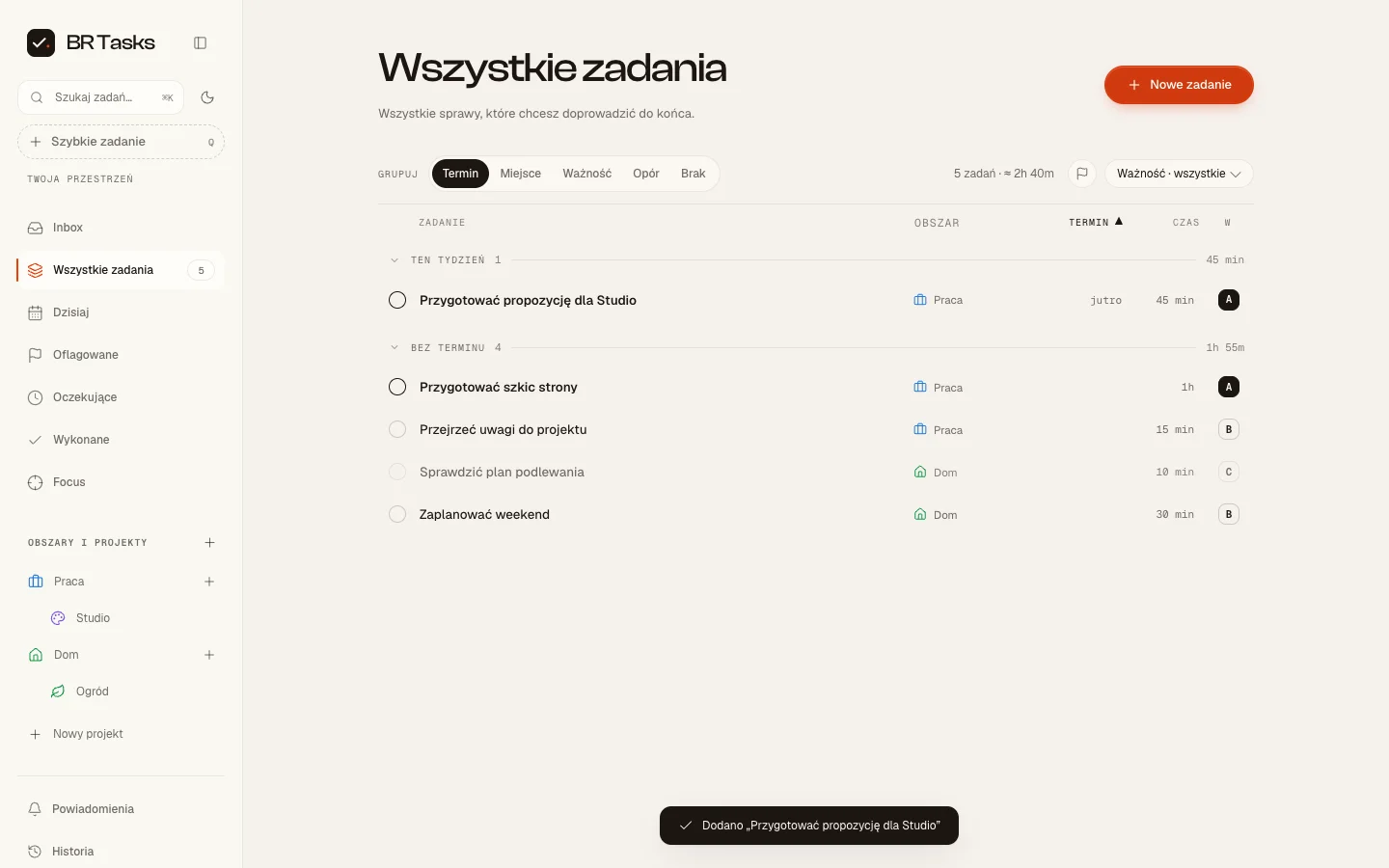
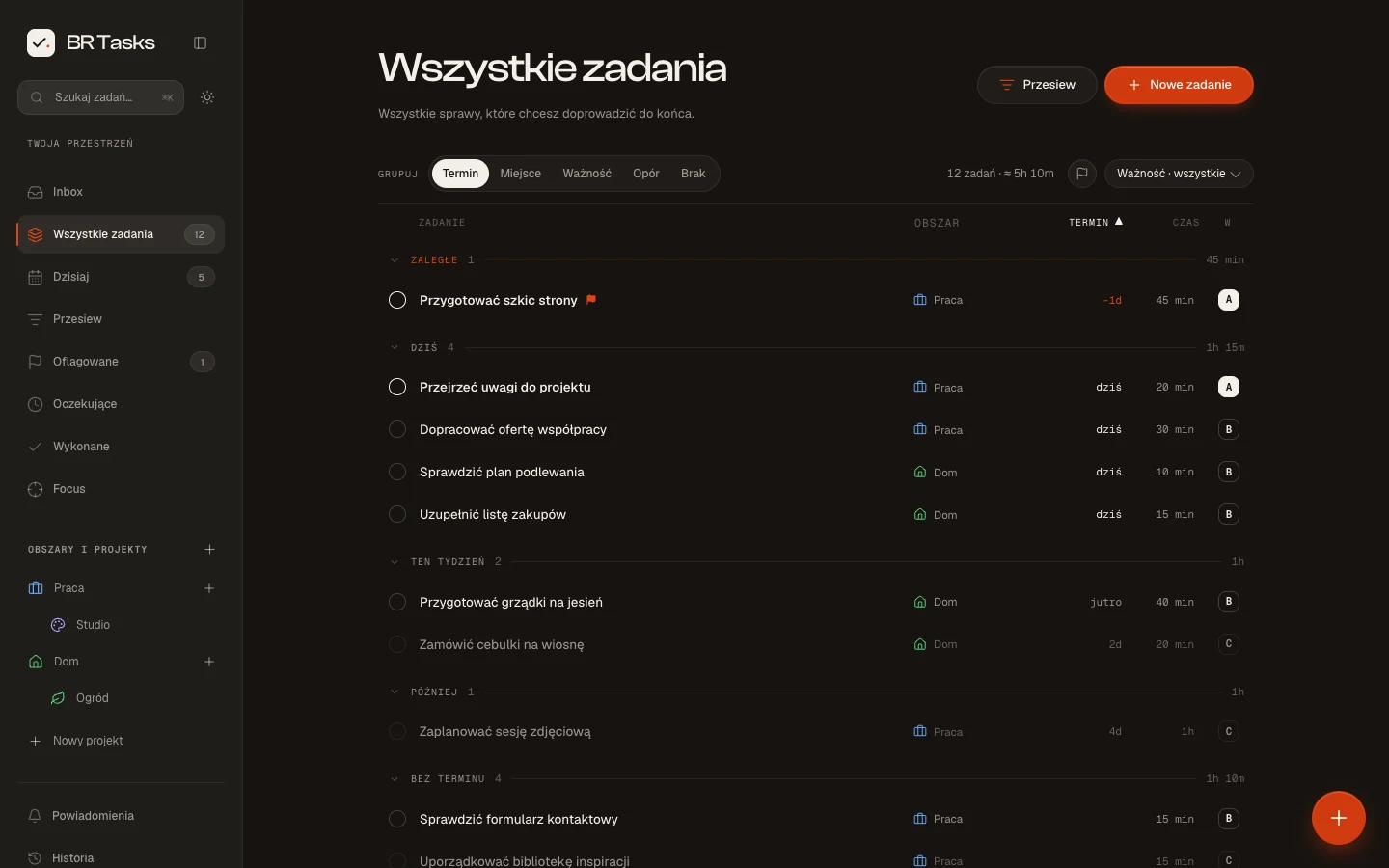
There is an Inbox, projects, priorities, a measure of task difficulty and a Focus view. REST and MCP let agents work on tasks alongside me. Project context lives separately in BR Projects. My phone, desktop app and agent can all use the same task system.
JEV understands what I am typing
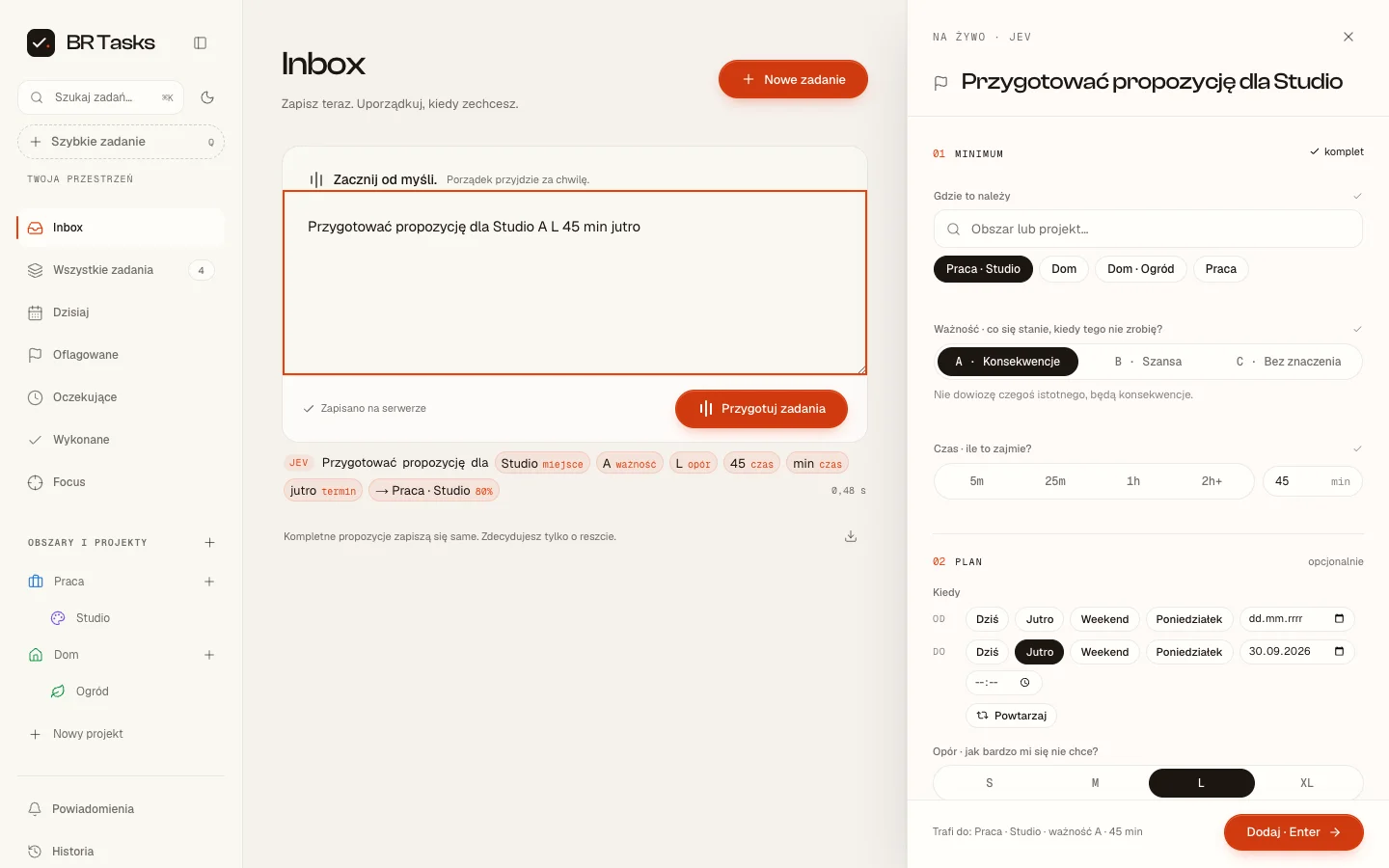
In the experimental Inbox, I type a sentence and see the project, priority and other fields fill in as I go. I can adjust them before saving.
JEV is a TypeSafe model for small, specific decisions. It receives context and possible answers, selects the relevant ones and returns probabilities. In BR Tasks it identifies what parts of the sentence mean; application code calculates dates and durations.
I like how AI fits into an ordinary interaction here. I type a task and watch the form take shape. I enable it per device because I am still testing the experiment.
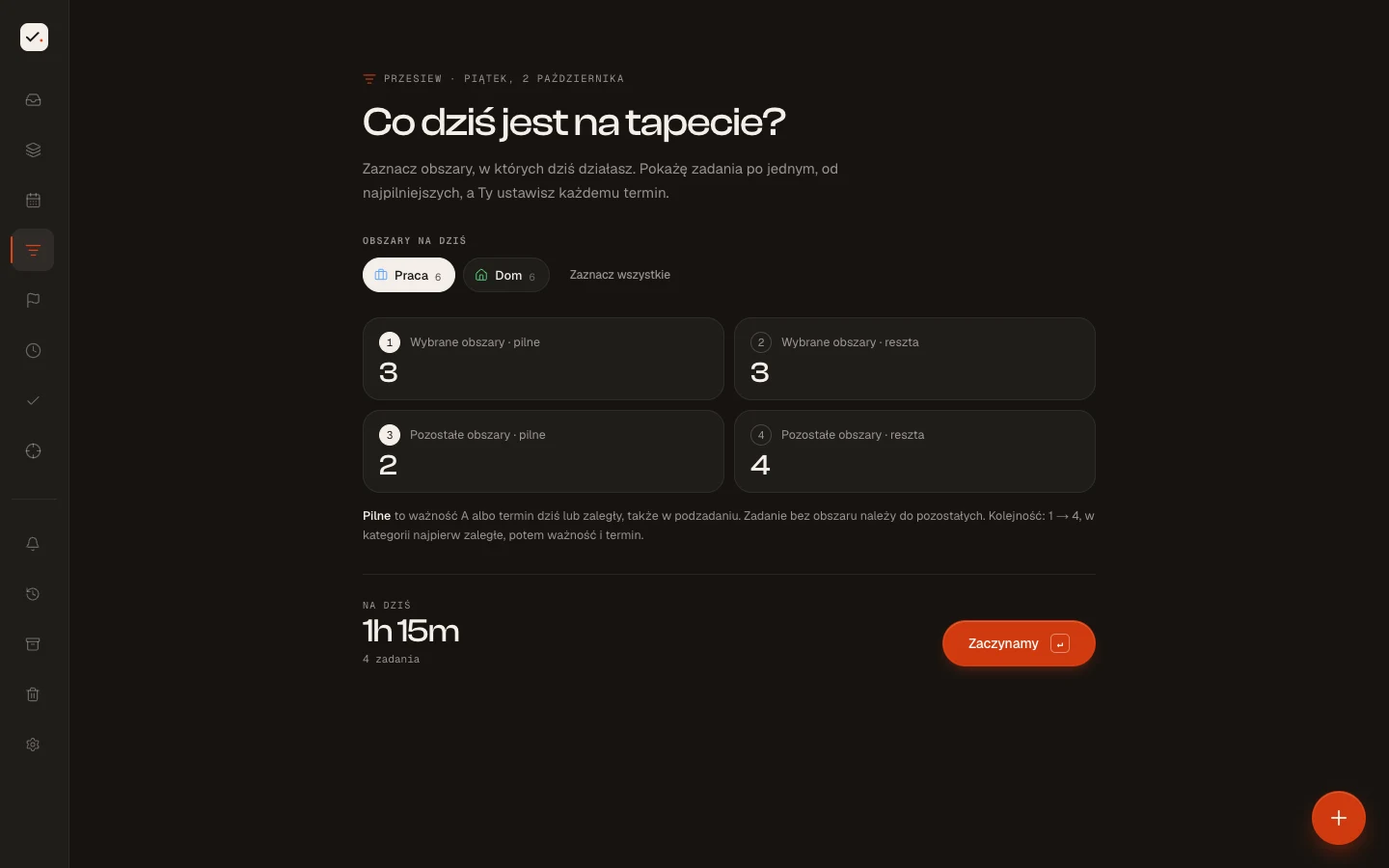
Triage: what actually belongs on today’s list?
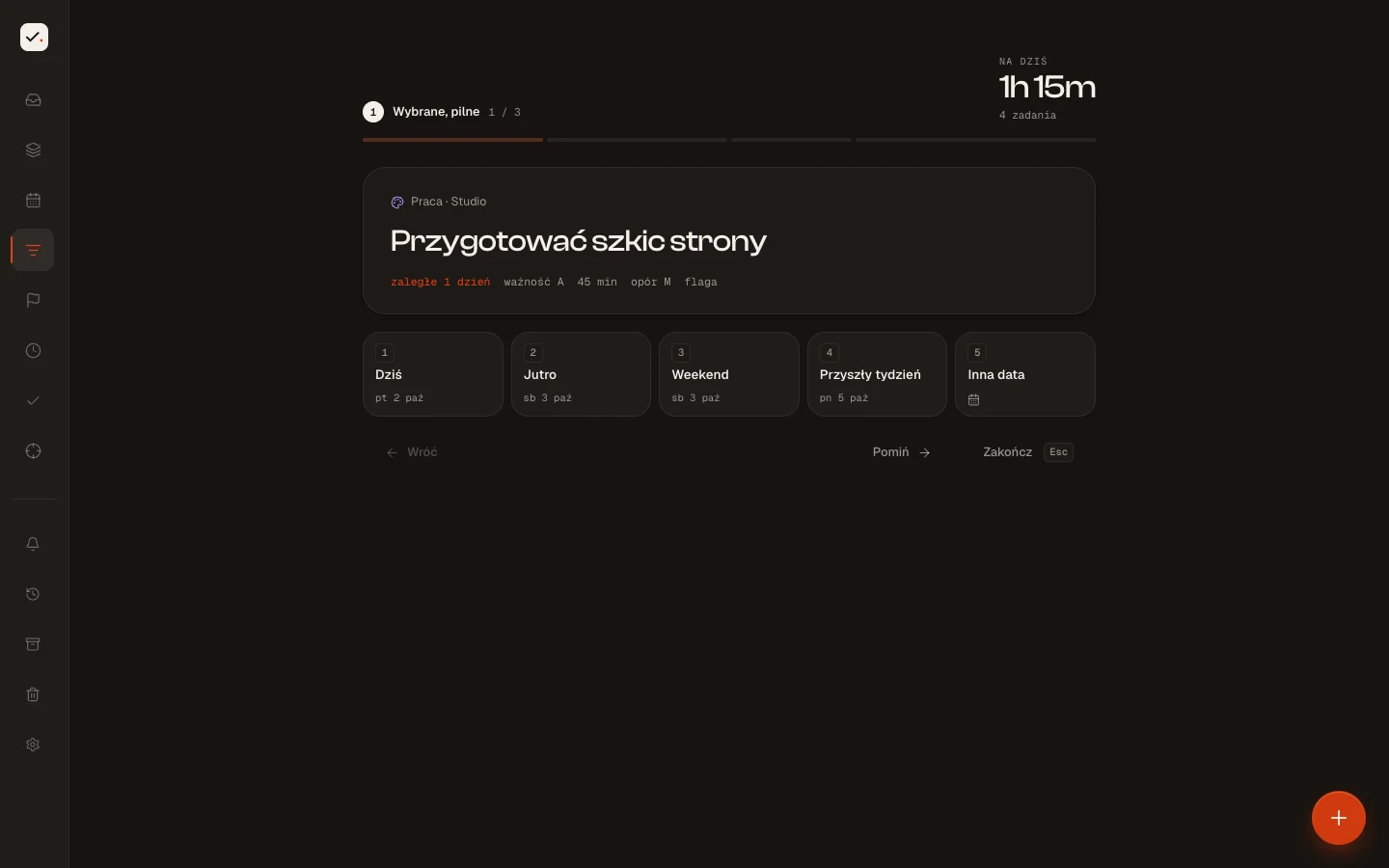
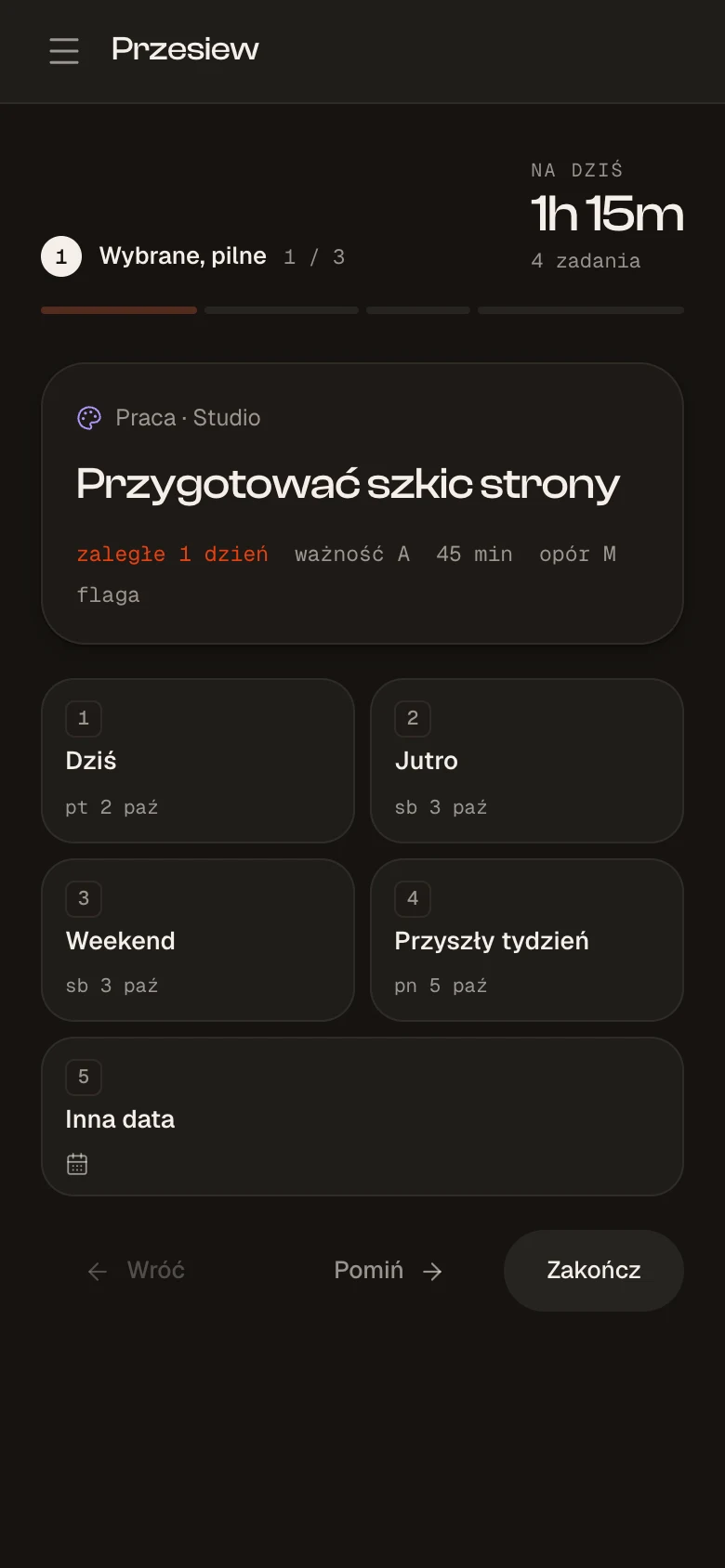
A list alone does not help when everything feels equally important. In Triage, I choose the areas I want to work on today and review tasks one by one. I give each a due date: today, tomorrow, the weekend or later. Alongside them, I can see the total time planned for today.
It is a simple daily planning ritual based on due dates and priorities. It works on my phone too.
When choosing gets in the way, I draw a task
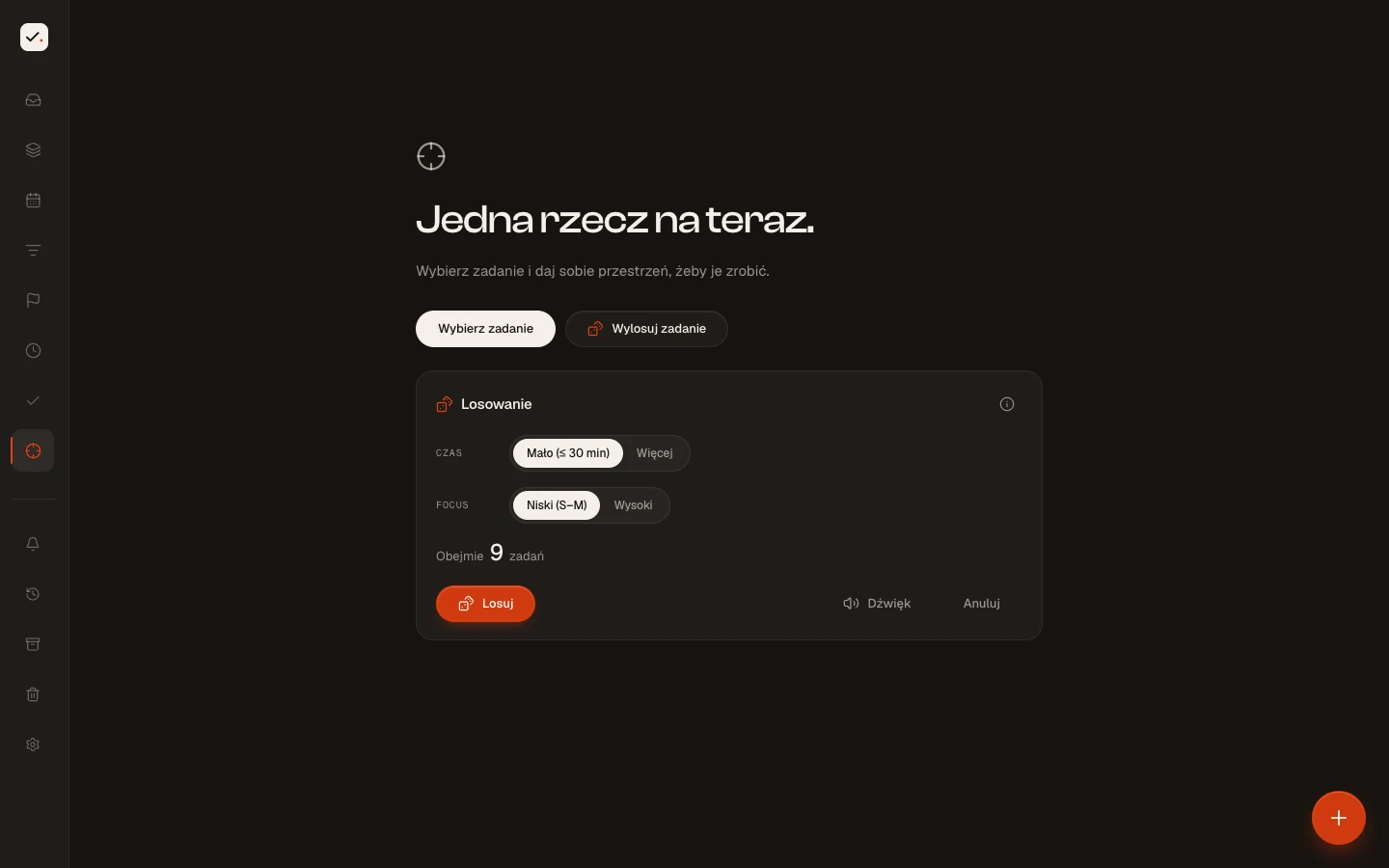
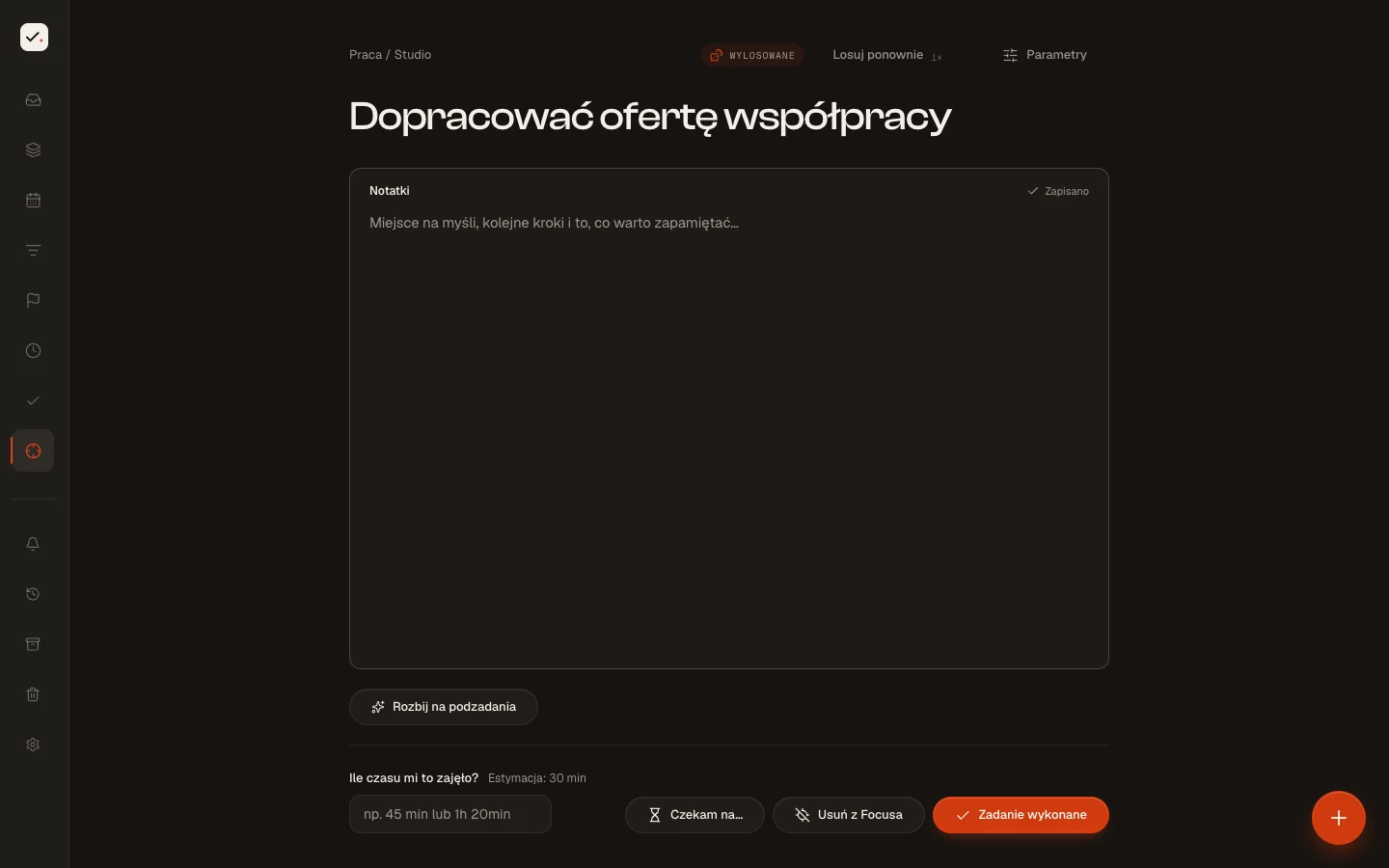
Sometimes I know what needs doing, but choosing where to start holds me up. I enter the time I have and my focus level, and the app draws from matching tasks. More urgent and important tasks have a higher chance of being picked.
The animation resembles a split-flap board. The selected task opens in Focus so I can work on one thing. Details like this, along with the dark theme, are things I can shape around how I like to work.
Result
I use it daily. When my needs change, I can change how the app works.
A private system for my own use. The presentation below uses example tasks.